WELCOME TO EHOST.COM.NP
Showing posts with label Android. Show all posts

Thursday, September 22, 2016

Looking at the Desire 10 Lifestyle and Pro smartphones HTC justannounced

The end of the year is one very significant period of time for consumer electronics, for the fact that many people engage in buying buy their loved ones pretty costly new phones or possibly tablets in the festive spirit of the holidays. Thus, HTC in its customary strategy is releasing a series of of mid-range phones which HTC is aiming at the gift-buying culture of this period of the year.
Looking at the Desire 10 Lifestyle and Pro smartphones HTC announced

One of these is the Desire 10. And from what we have seen so far, it is cool enough. It is divided into a two devices – the Lifestyle and then the Pro. Implying from the names, the Pro boasts improved specs, irrespective of what you want to use it for; the two fundamentally bear one look.

Alright, the Pro boasts a MediaTek processor and then the Lifestyle is rocking a Snapdragon 400, with its Pro presenting 3/4GB RAM as well as 32/64GB storage. And then the Lifestyle comes along with the 2/3GB and 16/32GB, in addition to a microSD support ranging up to 2TB on the two devices.

It appears the screens looks admirable for the two of them. We could in details point
that the 720p 5.5-inch display you have on the Lifestyle may look kind of low resolution if you put it side by side the 1080p 5.5-inch screen of the Pro .

Looking at the Desire 10 Lifestyle and Pro smartphones HTC announced

Moving over to camera, both of them are commendable. We will agree that HTC has a habit of placing emphasis on cameras. This time we have 13MP front and 20MP rear for the Pro, and then 5MP front and 13MP rear for the Lifestyle. Both will do well to bring out impressive images. The front-facing cameras equally boasts the capacity to capture wide-angle selfie shots which HTC proudly tags ‘selfie panorama’.

Looking at the Desire 10 Lifestyle and Pro smartphones HTC announced

From what you can see, the phones closely resemble each other.

Going to other features, we can confidently say both pass the basic standard although not exquisitely. The two devices have the capacity to Android 6.0 Marshmallow as well as HTC Sense. Most particularly, the Pro parades an ‘ultra-fast’ fingerprint sensor. Well the capacity is a kind of smaller when compared to the Lifestyle. This puts them 2700mAh compared to 3000mAh, well there is much left to say of battery life not paying dearly for this.

According to the plans of HTC, we expect the Lifestyle to be out by say September 28. And then for the Pro, it stands to be available by start of of November. The two HTC devices will come in four colours; Royal Blue, Stone Black, Polar White, and Valentine Lux .

For now we don’t really know much as to pricing. Let us see what HTC brings out all the same.
ADS SPACE

Wednesday, September 21, 2016

Top 10 Countdown Apps Or Widgets For Android


It is very crucial that we remember the days and dates that matter in our life. But in this busy and tight schedule of life which keeps overburdening us, it becomes very hard for us to keep track of those critical moments about to happen. And to our rescue comes technology with these Countdown apps and widgets which monitor the time left till the final D-Day.

Countdown Apps Widgets for Android

Here I have listed down the top 10 countdown apps for Android devices.


1. Countdown Calendar Widget


Developed my MKC, this small and efficient app performs all the necessary functions. Just put it on your screen and set the date and the app will do the rest for you. It will count down the days or hours to your event. As it is only 61 kb so, it doesn't do much harm to your phone storage space. Also, this app is free from all the ads.


2. Large Countdown Timer


Developed by MindTheApps, this short interval timer comes free of cost. It also works as an alarm clock that displays the digits in a large font. Although it is not targeted to countdown to a specific date still, it can count time intervals up to 99 hrs 59 min and 59 sec. 

See Also: - 15 Cool Shortcuts For Android I'm Using Right Now
All you need to do is swipe the screen and tap on the "Start" button to get going. The elegant and minimalist design with 2*1 grid size helps consume less space in your home screen. Also, it is also battery efficient and comes with no ads.


3. Countdown Days - Apps & Widget


Developed by SMSROBOT LTD, is available for free of cost on the Google Play Store. It comes in three different sizes - 1x1, 2x1 and 3x1 and different color options. This app can also add multiple events to countdown to. 

Using this widget, you can create the events either manually or import them from your calendar. You can even import events from Facebook. Once you upgrade to the premium version by paying $0.99, you can unlock all widget themes and remove ads as well.


4. Countdown in Status Bar


Developed by Wagwan Apps, this app displays the days left till your milestone in the status bar of your phone; the benefit of this being that you can see the countdown anytime even when your device is locked. 

See Also: - Top 10 Best App Lockers for Android | Free Download
The free version comes with the disadvantage of ads. And, if ever these ads start to irk you then you can always upgrade to the ad-free version by paying $1.29. You can choose to view the countdown icon either in white or green color.


5. Days Left


Developed by Leihwelt, this shiny widget lets you manage everything on time by keeping count of either your friend's bday or your parents anniversary or just any other random important day. You can also customize this widget by choosing between several colors and overlays. And the best part is you get all that for free.


6. Final Countdown


Developed by Thangbomb, Final Countdown app shows years, months, weeks, days, minutes and "seconds" left until your last special moment. And hold on, not just seconds, they provide the millisecond's countdown too. 

See Also: - Top 10 Free Task Manager Apps For Android
You can get cloud backup using Facebook login and lets you import your Facebook birthdays. Moreover, events from your live phone calendar can also be imported. The cost of installing this app is free. So go on, give it a try.


7. D-Day Reminder


Developed by dodol.com, this app is an entirely free cost on the Google Play Store. With the specialized 'D-Day Form,' you can create a timer for your events, birthdays and any other D-Day. You can get multiple widgets to display either a single event or a list of events. One can also customize this app according to his or her wish and also set multiple alarms to act as a reminder for the important upcoming event.


8. Talking Timer


Developed by Schiz Tech, this is the only one of its type that talks. With the app providing you with talking reminders now and then you need not be worried of forgetting your special day. You can even set intervals for getting alerted within the pre-defined time. 

Along with the beautiful display, it also uses little resources so as not to affect the battery life. The above-defined features come in the "free" version. And soon when you upgrade to the PLUS version by paying $0.99, you get additional features like no ads, custom alert messages and intervals, faster updates and much more.


9. Multi Timer StopWatch


Developed by LemonClip, this beautiful management app lets you set multiple timers so as to facilitate its use for cooking, study, sports, etc. You even get a notice to set an interval timer within a timer. Once a timer alarm buzzes off, the timer speaks up to you. 

To differentiate between the various alarm timers, you can set a unique sound to each one. It comes with customizable color and size. You can install the free version of this app and upon purchasing the premium version, you get the ad-free app and few other features.


10. Days--


Developed by Joe Wu, this app comes free of cost on the Play Store. It's a simple countdown application with all the basic functionalities. It can count down or count up days from a particular event to remind you of any important days. 

This beautiful lightweight widget does not need any special permission. And as Open-source Libraries build it, it is entirely ad free.

So, install any of these apps to stay updated on all the important events and happenings in your life and never again forget any birthday or anniversary or any event day.

10 Games Like Angry Birds For Android [#7 Is My Favourite]


The release of Angry Birds on 11th December 2009 by Rovio Entertainment created an environment of excited buzz equally among the teenagers and adults. The game was initially released for the iOS platform, but it gained its fame and popularity on Android.

The concept of the game is to hurl or shoot the little angry birds using catapults and slingshots on the target structures to destroy to cross a level. Successive levels consist of more challenging goals. At the end of each level, rewards and points are given.


Games Like Angry Birds

As the excitement for this game started fading various app developers tried to come up with something more engaging than the different versions of angry birds. Almost all of these games were based on physics of trajectory.  Some faced success while others little recognition. Here is the list of some of those games which were a hit at their best and criticized at their least.


1. Crush the Castle


It is the same infamous game after which the shooting/ flinging mechanism used in angry birds was designed. Crush the castle was initially released on 28th April 2009 by Armour games for different platforms. 

See Also: -
Enjoy Poker On Your Mobile With Junglee’s Teen Patti 3D
The concept of the game is very simple which is to break or destroy all the castles and its inhabitants. A trebuchet is used to shoot the targets by tapping on the machine once and then twice. As the level continues many rewards and points are provided to the player, and also more enhanced projectiles are unlocked. Furthermore, some targets can be easily destroyed while others take more precision to do so.

All in all the game’s rules are quite easy to play with, and the game itself is exciting to play. But the graphics display is a big letdown as it is very dull in comparison to angry birds which has vibrant colors. Another version of the game was also released with new improved features.


2. Catapult King


The catapult king was initially released on 27th March 2013 by Chillingo game developers. In catapult king, there is a story which involves a princess who is kidnapped by the dragon and being held hostage by the nasty knights and little soldiers.

The player has to take over the city catapult to destroy the soldiers and ultimately the dragon by crossing 60 levels to save the princess.  Apart from the same mechanism or method of killing the targets, the only difference which catapults King offers is that of the game being in 3D which enables the physics to be applied in more useful manner.


3. Fragger


At first, this game was released on the web network by Harold brenes as an Adobe flash game but as it started gaining fame by being played over 100 million times it was released first on the iOS platform in 2010 and then on Android and PlayJam in 2010. The player moves to the different level in the game by throwing grenades into the buildings to blow them up and to cross the defenses. 

See Also: - EatMe.io Review: Would You Eat or Prefer Get Eaten

In total, there are more than 100+ levels in the game which kind of makes the game is anticipating and challenging at the same time. The physics of playing the game is similar to that of angry birds but can be kept at the same popularity level as that of angry birds.


4. Hambo


Released on 21st April 2012 Hambo is also similar to angry birds. The game involves a storyline in which Hambo is a war hero who has to save his best friend bacon from the captivity of the enemies or the government officials. The game consists of different obstacles such as bullet deflecting walls, ice floors which can break anytime and hanging platforms which have to be crossed by Hambo. 

See Also: - Become An Astronaut Right From Your Sofa: A Time in Space 2

Also, Hambo has to shoot all the pig's soldiers with minimum bullets possible to pass a level. The movement of Hambo is quite fixed as it cannot roam around in any level and has to shoot in a particular direction. At the end of each level reward is given in the form of gold coins which are used to unlock new features. The user can also buy More coins. With lots of killing involved and over 200 levels, Hambo can be very much interesting to play and engaging.


5. Siege Hero


War spark developed it and released initially on 10th May 2011. The game uses the concept of angry birds and changes it slightly by rotating the world at 90 degrees in the anti-clockwise Y direction. The aim of the game is very simple which is to throw rocks on the structures to make them crumble upon the invaders with the goal of crushing them as you can’t throw them directly on the invaders.

This game allows zooming which helps the user in aiming. Each level provides the player with new and improved weapons having their benefits. Overall the assessment of siege hero shows that it is much less complicated to play, and a player can quickly devise a strategy to finish the level in one or two shots.


6. World of Goo


A very famous game released first on the Windows platform by independent game developer 2D Boy on 13th October 2008. This game was presented with many rewards including the best independent game from the Spike TV video game award show. 

See Also: - Experience Crazy Rides On Your Smartphone With Darkness Roller Coaster VR

The aim of the game is to create structures using goo ball to cross a path. The game consists of 5 chapters having different levels. Even the goo balls have their unique properties and can be used to make larger goo balls to achieve various goals in the game. The four chapters represent the four seasons whereas the last chapter is a virtual world.

The game consists of a story which is slowly revealed by the passing of each level.  Better to play the game for more information as it contains many possibilities for the player. Oh! And ultimately all the goo is going to be sucked up.


7. Panda’s Vs. Ninja’s


In this game panda’s represents the angry birds and ninja’s their target. Apart from this, the game doesn’t have many distinct features. The ninjas are bad, and the pandas have to kill them by throwing themselves on the ninjas. Also, they have a Japanese theme.


8. Stupid Zombies


The game was released on 20th August 2014 and is loosely based on the concept of the evil dead. Both the player and the zombies stand at their respective positions. The player has to kill multiple zombies using a limited number of bullets. The game is developed in a way that the ball can bounce upon different obstacles and therefore kill several zombies at once.

As the level increases the level of difficulty also increases making it hard to kill the zombies. Thus the player has to learn to shoot the bullets from a particular angle for maximum damage. It contains 720 levels. Be ready to kill the zombies.


9. Amazing Breaker


The aim of this game is not to crush buildings but to destroy the ice structures. The player is provided with bombs and slingshots to achieve the goal. In all regards, the game is very similar to Angry Birds just the concept is altered somewhat.


10. Plants Vs. Zombies


It is one of the games which was introduced on various platforms i.e. more than five platforms. It was released on 5th May 2009 by Popcap games. The aim of the game is to stop the zombies from coming near the house using plants as a killing weapon. Zombies will only walk in one lane in the front yard of the house and thus the plants also have to aim in a single lane only. 

The game changes from daytime to night-time in different levels having various difficulty ranges. Overall this game will be a nice change from the other conventional angry birds type games.

Apart from all these games, the games which were able to reach the success that angry bird reached are Candy crush saga and Pokemon go. Both of these were able to arrive at the same level as angry birds and more. So if one has played angry birds, these are the games they should try to play and compare them with each other. Happy playing!!

Monday, September 19, 2016

Everything You Need to Know About Unlocking Your Android Phone


If you have an Android phone that you want to use on a different mobile network, you will need to make sure that it is unlocked before inserting a different SIM. Although many Android phones today will come to SIM free or SIM unlocked, some may be locked to the first network that they were used on. 

Finding out whether or not your Android phone is unlocked or not is quite simple; all you’ll need to do is insert a SIM card from a different mobile network into the handset. 


Guide on Unlocking Android Phone


Once you restart the phone, there will be a message displayed if it is locked to another network. If you can use it as normal, you will know that your handset is already unlocked. Note that inserting another SIM card should not damage your handset in any way.


How to Unlock Your Handset


Unlocking an Android handset is usually much easier than unlocking some other handsets, such as the iPhone. To unlock your Android phone, you will need to get an unlocking code. You can get this from a third-party provider such as Unlocking Smart, or from your mobile phone network. 

Often, it’s a good idea to try your cell phone network first as they may provide a free phone unlocking service. However, in most cases, mobile networks require for you to have had the handset for a certain amount of time, or pay a fee to unlock it to any network.


Is Unlocking My Handset Safe?


Many Android smartphone users wonder whether or not unlocking their handset to work on any network will be safe for the phone. Often, people may have been led to believe that unlocking their handset will mean that it is more susceptible to viruses or malicious attacks from hackers

Thankfully, this should not be the case if your Android handset is unlocked correctly. If you do not choose to use the services offered by your mobile network provider when unlocking your Android phone, it’s vital to ensure that you choose a third-party unlocking service which is professional and reputable.


Unlocking and Your Warranty


Before you go ahead and unlock your Android smartphone so that it can be used on any network, it’s important to make sure that this won’t void your manufacturer’s warranty. The last thing that you want is for something to go wrong with your phone as a result of the unlocking, or another fault to develop after you have had it unlocked only to find out that the warranty no longer covers you. 

Before you get your handset unlocked, it’s a good idea to contact your manufacturer to determine whether or not the warranty will be affected. In some cases, there may be terms and conditions related to unlocking which you must adhere to ensure that your warranty remains valid. 

Unlocking your Android smartphone to be used on any network is usually a straightforward and easy process. However, it’s important to ensure that it’s done professionally and doesn’t void your warranty.

Sunday, September 18, 2016

15 Cool Shortcuts For Android I'm Using Right Now


Android has blended in our lives so intensely, that we don’t even look for new features and what more it can provide. Where Google’s primary target is to make Android more user-friendly by introducing many new features every day, people, on the other hand, fail to acknowledge it and get going in their daily grind. 

Android Shortcuts

But as for the lazy lads just like me, wanting to ignore any work; here are some groundbreaking shortcuts which would serve our procrastination just enough.


1. Ok Google


If you feel a little confused when people repetitively say “Ok Google” on their phone, well you probably wanna try out this feature yourself. Google now is a user-friendly speech assistant who would do your mundane tasks like making phone calls, opening apps, getting directions, sending messages by following a single command. 

See Also: - Top 6 Voice Changer Apps for Android (Both Free & Paid)
You could even ask simple questions like maths sums or getting information about a topic or subject. Just set ok Google detection ‘On’ under Google settings and set your voice recognition. Boom, your personal assistant, is on the go.


2. Now on Tap


Another brilliant feature provided by Android is Google now on tap. Google show you information related to what’s on your screen when you hold the home button or search by voice. It automatically senses the data and displays information according to it.


3. Smart Lock


Making a recipe thought a video on the phone and the sudden phone gets locked, it’s a mess. But now with the latest feature ‘Smart lock’ launched by Google, you won’t have to unlock your phone every time. Just save a particular place like home as a trusted place. 

See Also: - Top 10 Best App Lockers for Android | Free Download
Now whenever you are at your home, you won’t need to unlock your phone. Simple right? Same goes for trusted devices. If a smart device you use frequently is connected with your Android, your phone will be free from the hassle of unlocking.


4. Camera shortcut


It is probably the best feature for the selfie lads or people who just wish they could instantly see how they look. The shortcut lets your open camera app on the push of a button. You just need to press the power key twice and done. Click a selfie now.


5. Screenshot


Accept it, many of you still don’t know how to screenshot a screen. Chill out; even I didn’t know before until I accidently touched a particular set of buttons. It’s very easy you just need to open a screen you want to have a screenshot of. Punch the power core and the lower volume key at the exact moment. There you go, now you can share the image with your colleges.

See Also: - Top 8 Apps to Help You Find Your Next Job


6. Battery Saver


Having so much advanced in the smartphone technology. We still go for “Hey do you have a charger of a similar kind of pin used in my phone.” Well, you won’t need that kind of favors anymore. Just simply click on the battery icon in your notification panel, go to battery saver and then turn it on. Trust me a whole lot of battery would be saved. And also you get to keep your ego.


7. Guest User


Probably your friend would always be nagging about giving your phone to him, and you are out of excuses. And you start praying “please don’t open messaging app.” Those days are over. Now, you can simply put your phone to the guest user. The phone has been totally turned for a new user. Now, no accidently reading your WhatsApp or any personal information. 

See Also: - 10 Best Movie Apps for Android | Free & Paid


8. Search for App


Going on a hectic day, files all over the table or in a hurry. At this point, you feel worse when you can’t find an app in your app drawer. Well for this also, there is a shortcut which could save yours from the horror of finding apps every time. Just type the name of the app in the search bar in the app drawer.


9. Google Indic Keyboard


Typing in Hindi, either phone or laptop has to be the worst job in the world. But with the new Google Indic keyboard, typing Hindi has become very comfortable. Just select the Hinglish keyboard, start typing and it would automatically convert the English text in Hindi. If you still haven’t downloaded this app, do it now here is the link.

See Also: - 9 Android Apps To Earn Paytm Cash & Money


10. Handwriting


If you were thinking about the how worst is your handwriting when it comes to pen and paper. Wait a second; it is not what you think. In any Google keyboard, you could choose to draw the syllables instead of typing it.


11. Direct Dial and Direct Message


Instead of going to contact’s app and searching for the same person to call every time, what you could do is you can save a widget on your home screen for direct dialing and direct messaging to that person. With a single touch, call your favorite person. Just consider that you have a bill to pay.


12. Google Play Music Shuffle


It’s an easy peasy one. Just simply apply the Google play music app shuffle widget on your home screen. Now you can start shuffle at immediate right from your home screen instead of going to the app directly.


13. Wallpaper


Applying a new wallpaper is now a piece of cake. Just touch and hold the screen for 2 seconds. Click on the wallpaper tab. Choose from the default wallpapers or choose your favorite picture by clicking on my pictures.


14. W.p.s Push Button


I know many of you don’t know what a w.p.s push button is? I won’t go into details just let you know it works as a savior when connecting to a Wi-Fi. In case if you forget your wife password this is just for you. Look for the w.p.s button on your router and click on it. The Android user would have to open Wi-Fi setting and turn on the w.p.s push button.


15. Power Button Ends Calls


This is way old but still many people don’t know that they can end calls without turning on their screen. Simply go to the accessibility settings, scroll down and tick the option ‘power button end calls’. Killing calls is now flash speed right?

So, that’s all folks for today. These were some shortcuts you could have started using on your first buy. It’s still not too late, even now you could tell your friends and amuse them that how many tricks you know more than other users.

Top 10 Dictionary Apps for Android | Free Download


Dictionary is a useful utility that many of need a lot of times. There are times we don’t understand meanings of some words and we need dictionaries for it. With Smartphones capturing the market we have Dictionary Apps which eases our task of carrying a dictionary around. Talking of dictionary apps, there are several apps available in the Play store.

Dictionary Apps for Android

You can find not only the usual ‘find the meaning’ type of dictionaries but also a wide range of Professional and Multilingual dictionaries. To make your choices easier, here we present your list of  Top 10 such awesome dictionaries available in the Play store.


1. Dictionary.com


The first thing that you would notice is clean and beautiful App design; you can search for the words right from the front screen without diving into options and clicking here and there. It provides the possibility for searching either for the meaning of thesaurus. 

See Also: -
Top 10 General Knowledge (G.K.) Apps for Android 
It has a massive database of words and works in more than one languages. You can also find several other options in the app regarding the term you’re interested in like the origin of the word, usage of words in a sentence, synonyms, antonyms, etc. The most impressive part is it works even offline, all you need to do is enable offline mode which will download its extensive database of words in your device which ranges around 50 MB.

It also has other features like Text-To-Speech and voice-enabled search. You can enable its other features and get rid of ads by getting paying for the premium version.


2. Dictionary-Merriam-Webster


It's one of the most popular dictionary apps available in Playstore. It features a simple and clean UI. You can search for the words, and it provides you with the bundle of information apart for just providing the meanings like its synonyms, antonyms, information about the origin, etc. The app contains ads though which aren’t quite disturbing.

You can use the app offline for getting meaning and thesaurus but other options like TTS, voice search, illustrations can be online accessed when you have an active internet connection. It also has other features like word of the day and much more which are similar to a few apps in this category. It supports only English language.


3. English Hindi Dictionary


It’s cumbersome task to find any good Hindi-English or any other Language to English Dictionary. It’s a dictionary that helps you to find meanings of English to Hindi and vice versa. You can even type in Hindi and find its English meaning. It works same as other dictionaries. The UI is kind of interesting and is beautifully designed featuring the material design. 

See Also: - Top 8 Apps to Help You Find Your Next Job

You can enable the offline mode to use the dictionary offline. You can play in app games like hangman to improve your vocabulary and can interact with the other users in the community section. Overall it’s a great app for the ones who wish to learn any one of the two languages. 


4. Oxford Dictionary of English


The biggest dictionary is now available on your smartphones. Oxford dictionaries have been one of the most trusted and well-maintained information sources from quite a time. The app brings its access to your smartphones. You can search with words and find a lot of information related to it.

The app as various searching methods like scanning via the camera to search the phrase, typing into the search bar, voice search, etc. You can even find the words you don’t remember the spelling of. It has filters to see those words for you. This is one great dictionary you can install on your smart devices. Supporting both tablet and mobiles this app also comes with premium with ads removal and some other features.


5. Dictionary free dictionary Farlex


This app combines the word information from a wide range of websites to provide you the information you need. You can even have access to other relevant dictionaries like medical, veterinary, finance, etc. It has some features that you can use even offline. But most of the features work with the internet connection. 

See Also: -
10 Best Android Apps for IIT JEE Exam Preparation 
It’s a simple to use the app with minimal and simple UI design. You can enjoy other features like word games, dictionaries in other languages, professional dictionaries based according to the needs of a field and much more.


6. English Dictionary - Offline


It is one of the best dictionaries you can have offline. It’s light weight, simple and yet responsive app with clean and minimalistic design. You can find information about various words and even find their synonyms or meanings in other languages.

The app primarily works offline with all the main features like TTS and word search but requires a net connection for other extra features like viewing the word in other dictionaries. You can enable themes and get other options like a free button for search, history, and other stuff. You can even change the accent British-American for the voice outputs.


7. Online Dictionary


The previous one was a just offline version of Dictionary For English language. This one is entirely online dictionary with a multi-lingual support. You can use all the features of the previous app, but it works when you have an internet connection. You can also use themes in this as the previous one. You can bookmark and save the words you feel you might need frequently. Supporting English, Italian, French, German and Spanish languages.


8. Dictionary - WordWeb


WordWeb presents you with the dictionary that works offline. It has most of the features that you would wish to have in a pocket dictionary app. It has a massive database of words and provides you with other information as well. If you want to get the pronunciations, they are available in the other audio edition app. This app is free from ads which make it kind of interesting as most of the apps nowadays are stuffed with ads everywhere.


9. English++ Offline Dictionary


As the names suggest, this app is for the ones who wish for an app that works offline. This app provides you information from a massive database of words. You can even switch and find information from not only English but other languages as well. It also provides you with a proper voice pronunciations along with the quick word search. You can have long word lookup while you’re connected to the Internet.


10. English Dictionary


This app is lightweight, fast and simple to use application that you can install on your smartphones. It’s an offline app so you can use it without any hassles even when you are not connected to the internet. It also has features like voice search, voice outputs, searches autocomplete, bookmarks for your words and history. You can access to other features when you have active internet connection. Overall it’s a good app with a minimal size of 18MB.

Saturday, September 17, 2016

Top 10 Yoga Apps for Health Concious People


Yoga or the Yoga Asanas are the ancient Indian traditional exercises for the fitness and flexibility of the body. Yoga focuses on the mental and physical fitness by performing and practicing simple poses rather than HICT. You can easily follow these poses at your home, in the garden, or anywhere you feel fine. There are a good number of Yoga apps available in the Play store, so here we are the best ten apps.

Yoga Apps for Android


1. Daily Yoga - Yoga Fitness App


The app features a beautiful and clean UI which feels minimalistic and features the new material design. It’s a featured app in the store. It Includes planned yoga sessions for you. You can follow their prescribed schedules or can create one for your own. The instructions provided are fairly clear and precise presenting you all types of yoga from beginner to pro level. 

You can use the app on mobile, tablets and it also supports Chromecast. You can connect it with android wear and Google fit to check the number of calories that you’ve burnt. You can connect the socials and get updates and inspirations from the community. It’s one of the best apps in the free section.  

See Also: - Top 10 Best Ever Workout Apps for Android


2. Ramdev Yoga 2


This app combines the Yoga teachings and asanas by the famous yoga guru Baba Ramdev. Containing some asanas along with their explanations this app can be pretty helpful for the ones who don’t wish to miss teachings from their favorite teacher. It’s a light build app, with very minimalistic UI. It supports two languages i.e. Hindi and English. With explanation and pictorial demonstration of each asana, this app can be an excellent choice.


3. Yoga.com


Performing Yoga can be quite tedious for a beginner if he/she is not clear about why they are performing it. This app divides your courses into objectives for which you wish to perform yoga. With different course plans and goals, it presents you detailed instructions along with beautiful pictorial and graphical illustrations that help you to understand the poses better. 

With some courses pre-installed a vast number of others can be accessed with paid subscriptions. It has a beautiful and clean material design UI, giving it an edge from other apps.

See Also: - Top 10 Diet Apps for Android (Both Free & Paid)


4. Yoga Fitness Training


The app comes with the great design which is attractive and minimalistic. It provides you with many poses where you can explore and choose from. There are routines inbuilt that you can follow or just create one of your own. Along with detailed graphical illustration of poses, it also provides the explanations of each with details; you can know about its benefits. 

Routines are classified upon your objectives of performing yoga from the beginner to pro level. There are health tips and exercise guidelines to help you to stay fit.


5. Yoga 108


If you wish to learn Yoga in depth and want to know more details other than just benefits, this app is the one you’re looking for. You can learn the basics till the pro level of yoga asanas. It provides both English and Sanskrit names of the poses and explains each in detail. Courses are divided more as in the form of an audio-visual textbook rather than being an instructor fitness app. 

It provides you audio instructions that you can play at your preferred speeds. If you are looking for something more than just an app that can teach you a few poses this one is a way to go.


6. Simple Yoga FREE


This comes to our list as there are people who just wish to perform simple poses and do not want an In-depth tour, so for that kind of individuals, this app can be your choice. With minimalistic to clean UI, This app is more of a video player/instructor for you. With video playback, divided into courses of 20-minute workouts to 60 minutes for both men and women. This app can be a decent choice.

See Also: - The Fitness Motivator & Virtual Gym: UpDown App Review


7. Yoga - Track Yoga


If you wish to have a complete yoga studio on your hands then this app might be popping up on your list. It has a clean, minimalistic and beautiful UI. There are courses for beginners to Pro. You can read the details and instructions or can follow the videos where the instructor guides you along. It has all the data divided according to levels and objectives for performing yoga. 

You can message and get tips and ideas from the instructor and get a reply within 24 hours. It offers you features like setting goals and options to track your progress as well as a function set reminders to remind you to stay on track.


8. Pocket Yoga


As its name suggests, the app contains a broad range of detailed yoga poses and explanations for the same. All is presented in a neat and attractive looking UI. With the animated pose instructions and audio guidance, you can rewind and replay your instructions again. You can even choose the environment for the instructor which plays a soothing music in the background.


9. Yoga Studio


This app is a complete guide book to yoga. Right from the detailed instructions and videos it also contains the scheduled planner and timer for you to create reminders for your workouts. You can follow the routines created by the experts as well as can create your custom plans. This app is featured by many and can be the best yoga app available at the moment.  

It features you HD videos along with smaller versions of it that can be streamed over the little data speed connections. You can also connect it with the Chromecast. Choose your class environment and it sets music and atmosphere to your liking. Overall, if you’re looking for something the best in the paid section this one is a way to go.


10. Man Flow Yoga


It’s an app for the ones who want to follow targeted routines and want to choose from full body workouts or short targeted routines. The app presents you with instructions in detail which explain you everything from how to perform till the pros and cons of workouts. You can follow the inbuilt routines or can follow your own by choosing from a list of poses. You can also connect the socials and interact with the other users using the app and get tips and tricks about yoga fitness.

Top 10 Best App Lockers for Android | Free Download


In this fast moving modern era, we keep forgetting is that this “technology” we are so obsessed about, has the potential of putting our privacy at risk. Clearly, our smartphones have become our most faithful companions. From our ATM card numbers to PINs, passwords and our intimate moments captured; our smartphones hold all these details. So, I guess protecting all them is a crucial task.

App Lockers for Android

So here is a list of top 10 android app locks to protect your smartphone for prying eyes.


1. Applock


One of the finest and most popular app locker with over 100 million downloads, this app, gives you facilities like password or pattern protection, photo vault for your images, video vault to preserve your videos, easy call locker, etc. And what more? Well numerous themes to save your phone from the dull, monotonous looks.
See Also: - Top 10 Free Task Manager Apps For Android


2. CM Locker


With the app having one of the highest rating of 4.6 on Google Play Store, it is one of the most downloaded apps. You can either go for password lock or the pattern lock. Furthermore, being liberal about your smartphone’s battery, it cleans out the battery drainer apps. Also, the intruder pic will be clicked and saved for you to see. The other cool features include showing weather forecast, enabling you to control your music playback.


3. Smart Applock


It is helpful for users who pay serious attention to their privacy. With this app, you can set a different password for different apps. You can use a password of PIN or words type and can also use a pattern. While the time of installing it, you have to provide an e-mail id. A person trying to snoop into your phone but with the wrong password will have his photo clicked and sent it to that particular e-mail id. Another important feature is that fake pop up shows on your locked apps to give the intruder the feeling that your app has crashed. 
See Also: - Top 10 Best & New Call Blocker Apps for Android


4. AcDisplay


Apart from performing the very essential function all app lockers do, it has other intriguing features like showing notifications in the background of the lock screen. Plus it also has the active mode and a blacklist. The active mode wakes up your device when you need it, so you get a quick glimpse of the notification you received. The function of the blacklist is restricting apps from sending notifications to the lock screen.


5. Leo Privacy Lock


This small size app is a combo package of app locker and booster. So, it just doesn’t protect your phone, but it also helps your phone function faster. You cUse pattern or pin code to lock your apps. It also comes with the anti-theft mode. You can also change the background setting as your wish with the various choices provided.


6. ES App Locker


Developed by the most popular ES groups has a user-friendly interface, easy navigation. It also has auto app lock feature and comes with less battery usage.In this app, you can protect your apps using PIN or password. You can also change the settings of this app locker.


7. App Locker - Lock Any App


Being another efficient app locker, it functions well with its sleek User Interface. You can lock your SMS book, your WhatsApp, Gallery, emails, etc. Moreover, you can also lock your incoming and outgoing calls. And in case you forget your password, then this app comes with offline password recovery.


8. Perfect App Lock


Use passcode or pattern or even better gesture to protect every app you hold dear; be it WhatsApp or your Facebook or gallery. This app gives you the liberty of consuming less space of your RAM and CPU. You can even remotely lock and unlock apps. Also, if the interloper pushes himself into your private apps then ‘snap’ ‘snap’ and yes, you get a picture of the intruder saved.

See Also: - 10 App/Task Killer To Boost Android Smartphone Performance


9. Screen Lock Guardian


The primary focus of this app remains to guard the privacy of your phone through PIN number and a pattern. The silent selfie feature clicks the pic of the invader of your privacy and saves it to your gallery along with date and time. You can launch up to 5 apps directly from the lock screen. It has extra features like showing weather forecast and attractive wallpapers.


10. App Lock And Gallery Hider


 Best known for its smooth functioning, this app perfectly secures all the stuff private and important to you. Apart from securing your system apps as well as the downloaded app. You can also lock settings. Furthermore, you can hide photos, gallery, videos. Snoopers can’t uninstall this app from your phone. You can make use of PIN or pattern. Developed by MIGITAL, this app provides a complete security solution for your phone.

Friday, September 16, 2016

Top 10 General Knowledge (G.K.) Apps for Android


There are Android apps available for almost everything you need in the Play store. People who wish to study using these apps sometimes run into a fix about which one to choose out of the swarm of apps out there. You’ll find a lot of apps on the learning and academic education, a little less on GK, though. So here we present some of the Chosen GK apps that can help you to improve your GK quotient.

GK Apps for android


10 Best Android Apps for GK


1. Wikipedia


Who doesn’t know about Wikipedia? No Doubt Wikipedia is on our list. Wikipedia is the biggest source of information available on the web freely where contributors from all over the world are maintaining and updating information daily. Wikipedia is no doubt largest source to develop GK. The app has beautiful material design and is pretty light build and works smoothly even over slow data connections.
See Also: - Top 8 Apps to Help You Find Your Next Job


2. General Knowledge 52600 +Faqs


If you’re searching for something that combines most of the GK quizzes into one, this app might be on your checklist. The app is designed beautiful UI that’s easy to scroll about as well. You can choose any topic from a wide range of subjects and pick a quiz or a puzzle. Play and learn at the same time. This app contains questions from most of the sectors with answers and is regularly updated. You can keep track of your progress within the app by signing in with socials.


3. GK Current Affair SSC-IBPS-IAS


This app provides GK quiz and knowledge on a broad range of topics. The app has quite well designed material design UI. It’s mainly an app for the ones who are preparing for civil service exams. You also get Study material and E-books within the app. You can also the study offline as the apps works offline as well.  The app supports three languages English, Hindi, Marathi. You can connect the socials to track your progress within the app. The content updates on regular basis.
See Also: - 10 Best Android Apps for IIT JEE Exam Preparation


4. GK 2016-17 & Current Affairs


It’s an app combining most of the questions from general knowledge and daily affairs & happenings. The app UI is decent and the information is also updated on regular basis. You can choose the set of questions and take a test. At the end of the test, you’ll get the result of how many correct and incorrect and so on. For the ones who want a straightforward and light build app for GK quizzes this one is a good choice.


5. India GK


India Gk app features a good looking and simple UI. The app focuses not only the GK section but also the civil services exams. It’s a good app for the civil service aspirants as it covers not only the GK but also the current affairs along with the past solved civil exams question papers. The app also offers you study material to improve your knowledge and prepare yourself for the in-app quizzes.
See Also: - 7 Must Have Android Apps For Gate Exam Preparation


6. Aptitude Test and Preparation


As its name suggests this app is for the ones who are focused on their GK and Aptitude skills. You can choose any test from the broad range of tests that available on the wide variety of topics. This app bundles a lot of stuff like quizzes, formulas as well as solutions for every question. It also brings you quizzes on aptitude and logical reasoning. You can view and track your progress.


7. GK Quiz - Current Affairs Quiz


This app is for the ones who want to learn and enjoy along. You can choose any quiz, trivia or challenge from the broad range options available. The app has combined questions from several topics ranging from the basic GK, technology, medical science, history, arts, geography, economy, etc. You can go for quiz or ‘Just for fun’ games. The app also works offline, and you can even view your progress with the quizzes that you’ve taken.


8. Current Affairs GK - IBPS PO


This app features a good looking UI which is easy to go through. It contains all guides and GK study materials along with the quizzes. You can read E-books, guides, and other study materials. Civil services aspirants can find study materials, model papers, past solved question papers, etc. You can also have access to all this offline. So you need not have internet connection whenever you feel to study.
See Also: - 13 Must Have Apps For MBA Students - iOS/Android


9. Trizzio - The Quiz with Prizes


The most interesting part of Trizzio is minimalistic its unique and design beautiful UI which makes it one of the factors why should one install the app. It combines all the questions from the broad range of topics like GK, Logos, Sports, Movies, Music, Current Affairs Fashion, Cards, Literature, People, Business, Cartoons, lifestyle, etc. It has an algorithm design to present your questions according to your level. It’d Ad-Free app, where you can not only view your score but can also compare it with other users and can have one on one duels. Overall, it’s a fun learning app.


10. General Knowledge Quiz-GK


This app is again for the ones who are quite serious regarding improving their GK. This app is made with the intention to improve GK for the competitive exams. The questions are from the broad range of topics like India, Science, Sports, Current Affairs, Basic GK, etc.

There were more like Khan Academy, but Apps like Khan Academy are learning apps which include Courses rather than Focusing on GK. It does have a small GK corner where you can learn from. Since we were considering only GK apps, we have kept it out of the list. But you can refer to it if you like it. But most of the apps listed above have a huge bundle of knowledge that will help you about accomplishing your goals.

Top 15 Android Banking Apps for Indian Users


The Era of digitization has begun and with all the essential services appearing on your small android devices, Net banking has taken a pace. Bringing the power of your wallets and bank on your handheld devices, these are a few Android apps by Banks that can ease your banking procedures. So here are top 11 banking apps in India.

Banking Apps for Android


1. State Bank Anywhere


It's one of the most used and trusted app for banking SBI (State Bank of India) has launched a range of apps for different purposes, and this one is a complete bank in your pocket. You can Access your bank account from anywhere all you need an Android device and work internet connection. It has a vast number of banking options like managing accounts, fund transfers, E-Recharges and much more. You use it for other banking purposes like requesting a checkbook, generating and sharing QR codes for safer banking and works fine even on rooted phones. It supports all Android devices from 2.3 and above.

See Also: - Top 10 Free Task Manager Apps For Android


2. State Bank Buddy


It’s another app by SBI (State Bank of India). The app features a safe and clean material design UI. This app is more of a wallet that’s connected directly to your bank account rather than a fully functional banking app. With this app, one can receive and send money to other SBI users online. This app doesn’t support Rooted Android phones due to security reasons. You can recharge your DTH and mobile, Pay your bills, book flights, and hotels and transfer money back into your bank account.


3. Canmobile


This app is for the Canara Bank users. It is a mobile banking app where you can log in with your mobile number which is registered with your bank account. You can transfer funds, do the inquiry, place requests, shell out donations, contact the authorities and enjoy the m-commerce facilities. You can recharge your mobile as well as DTH, pay bills, etc. The app supports Android 3.0 and above. 

See Also: - Top 8 Apps to Help You Find Your Next Job


4. HSBC Mobile Banking


To use this app you must have to register yourself for personal banking. You can access your bank account from anywhere using this app. Transfer funds, view account balances, and transactions play your bills all through this app. You can even change region and access your accounts from other parts of the world; the services might differ depending on the areas.


5. HDFC Bank MobileBanking


HDFC has two different versions for mobile banking, one app runs on internet connection while other doesn’t need an active internet connection. This app comes with clean and well-designed UI. You can access your bank account from anywhere via this app. You can pay your bills; view accounts details, fixed deposit summaries, transfer funds and which also includes moving to other bank customers. You can also access the basic banking facilities like requesting statements, cheque books and stopping the payments.


6. HDFC Bank MobileBanking LITE


This is another version of the HDFC mobile banking apps that doesn’t require an active internet connection. It instead uses USSD codes and mobile features to access the information. It’s a light build app with clean and minimalistic Material design. One can access almost all features of the other app which work on the internet on this one. It’s a good choice when you don’t have an internet connection, and you need your bank urgently.

See Also: - 13 Must Have Apps For MBA Students - iOS/Android


7. Baroda M CLIP


It’s an app for the Bank of Baroda customers. It’s more of an e-wallet than a full-fledged banking app. It allows you to recharge your mobile, pay your bills, shop online and use it as an e-wallet that’s connected to your bank account. You can also transfer money to the other users and receive as well.


8. Baroda mPassbook


Bank of Baroda presents yet another app for its customers so that they can stay updated with their account anywhere in the world. This app has a beautiful design and shows all information related to the accounts. You can locate nearest ATMs and much more. This isn’t a full-fledged app as well but works fine for the ones who wish to stay updated with their accounts.


9. Axis Mobile


It’s a full-fledged banking app for the Axis bank customers. Get all your information right in your hands. You can manage your account with this app from anywhere in this world. You have all the facilities of net banking and mobile banking at your hands. You can even manage your credit cards. This app offers you a full number of banking options and facilities like track your repeated transactions and save or schedule them. Open or close accounts and FDs, RDs. You can login via bank credentials or your registered mobile numbers. You can also schedule your payments using the calendar.


10. ICICI Mobile Banking - iMobile


This app for the ICICI bank customers brings the Bank to their Android devices from where they can access and manage their bank accounts from anywhere in this world. You can access over more than 100 services that are offered by the bank right from the app. It also supports and connects well with the Android smart wear and watches. You can manage not only your bank accounts but also your credit card accounts. It's one decent looking and good mobile banking app for the Android users.


11. Dena *99#


This is yet another mobile banking app that doesn’t require an internet connection. This app by the Dena Bank uses USSD codes to provide you the information that you need all at your fingertips. All you have to do is log in through your registered mobile number and access the primary account information. You can also send transfer money. This app is available in many languages (Regional languages). You can also check your Aadhaar and OD statuses.


12. SC Mobile India(Breeze)


Standard Chartered Bank Application features an attractive and good looking design and user interface, which is quite manageable from all App UIs that we have discussed till now in this article. The App has not only a primary login mechanism but also features fingerprint login for both iOS and Android Users. It’s a full-fledged Banking Application which brings your bank to your device. You do pretty much everything with this app. 

You can transfer funds between accounts and even with other bank account holders, Transfer money to Visa Money Payee, Pay your credit card and other Utility bills, Recharge your mobile and DTH, etc. View all your account transaction history within the app and even transactions into monthly installments. You can locate the nearest ATM and Branch with this app. In a gist this a full-fledged banking app for Android users.


13. Oriental Bank Of Commerce


This app by OBC works with the Internet and even without the web. You can request your account and transaction information, transfer funds, perform IMPS (Intra Bank Funds Transfer), NEFT, and much more. You have to register for this app with your nearest branch and need to activate facilities to enjoy this app.


14. U-Mobile


With this app by Union Bank of India you can have access to almost all services of your bank. You can transfer funds, view account, and transaction information, Pay your credit card and utility bills. Along with the basic mobile banking services you can also access the basic banking facilities like requesting a checkbook, halting a transaction, apply for loans, etc. you can even book movie and air tickets via the app. All you need is to register with the branch to avail the services.


15. Kotak Bank


Kotak Mahindra Bank customers can easily manage their credit and debit bank accounts with ease by this app. You can transfer funds via various methods. Get notifications about your transactions and even personalize the home page to get the kind of things you want to see. You can recharge mobile and DTH and pay your other bills. You can even regenerate you debit and credit card pins with this app. This is a full-fledged banking application where all you need to do is to register with your nearest branch to avail the services.

Thursday, August 11, 2016

How to Create Slow Motion Videos on your Android Phone

Apple introduced slow motion video feature on their flagship device iPhone 6 and with that one can easily make some outstanding videos. Slow motion videos can create some awesome effects like usually people are using it to shoot some action scenes like skateboarding, skiing, and other sports.

slow motion videos on android

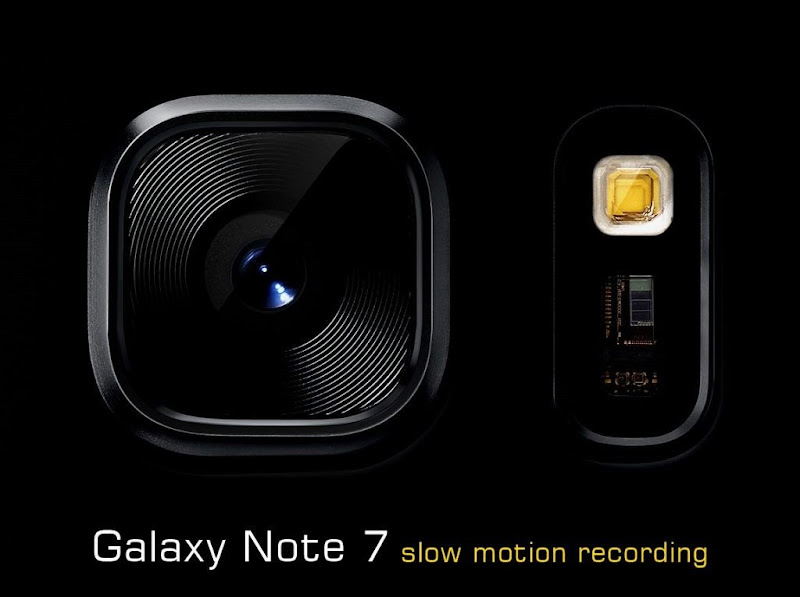
Now if you want to create some slow motion videos on your Android device, then you can either go with the official Galaxy Note 7 that supports slow motion feature or there are plenty of free slow motion video creation apps available in the play store that enabled this feature on any Android device with a good camera.

All these videos you create as slow motion videos can be shared and a uploaded on Facebook, Instagram or any any other social networking platform like WhatsApp and so on. So yes with this you can upload slow motion video to Instagram and Facebook too, pretty cool!

Creating Slow Motion Video using Official Feature on your Android Phones

Yes you heard it, Slow Motion videos could not only be created on your iPhone but few Android devices like Samsung Galaxy S7, Edge and Note 7 also supports this feature by selecting its slow motion video mode.

galaxy-S7-slow-motion-video-recording-feature

With Galaxy Note 7 you can shoot Slow Motion videos at 240 Frames/Second, that's pretty crazy right. So lets see how you can choose the slow motion video option and create some awesome slow motion videos using official Galaxy Android Devices.

  1. Open your Camera Application.
  2. Click on the MODE Text, you can see any the bottom left.
  3. Now choose the Slow Motion option.
  4. That’s it now you can start recording your video.

Samsung Galaxy S7 Edge and Samsung Galaxy Note 7 Slow Motion Video Sample

Here you have a nice sample from both the flagship devices from Samsung, you can see how awesome slow motion videos you can create using either Samsung Galaxy S7 Edge or Samsung Galaxy Note 7, check both the samples below.

How to Create Slow Motion Videos on Non-Supported Android Phones

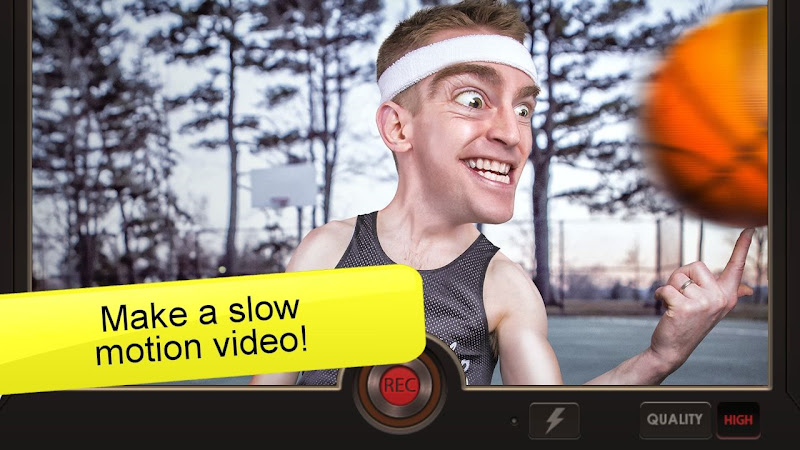
Now in case your android device does not have this slow motion video feature then you can use a free app called “Slow Motion Video FX” from play store to create some amazing slow motion videos on any android device that atleast has a good camera.

Install Slow Motion App

slow motion video fx camera pp android

  1. Install the application.
  2. Start the application.
  3. Choose the video mode and start shooting.
  4. You will have a nice slow motion video created specially on an Android phone that does not support Slow Motion videos.

So guys this ends another awesome tutorial on creating some high definition slow motion videos with 240 Frames/Second on your Android device, either using official feature on selected devices on using a free app from the play store.

Categories

Article How-to All Posts WordPress Android Web design Blogger Plugins CSS Google JQuery Plugins Programming Reviews Web Hosting Blogger Blogging Blogging Tips Tricks Web Development Facebook Git Internet Make Money Online Social Plugins Tips Tips and Tricks Tools Tutorials Windows WordPress Plugins Blogging Tips and Tricks Freebies GSM Google Analytics HTML How To's JavaScript Plugin Development S.E.O SEO SMS SmartPhone Social Media Tips amp; Tricks Top-Most Updates Webmaster Tools Whatsapp Applications Apps Blogger Basics Documentary Downloads Entertainment Gadgets Games Gmail Google AdSense Guest Post IPhone Make Money Blogging SVN Security Softwares Web Hosting Tips and Tricks Wordpress Tips Wordpress Tips and Tricks hostgator iOS Advertising Networks Advertising Technology Affiliates Antivirus Audience amp; Traffic Biography Blog post Blog post Blogger Blogger Errors Blogger Tips Blogger Tools Blogger Widget Blogosphere Bogger Widgets CSS selectors CSS symbols CSS3 Computer amp; Internet Content Writing Coupon Codes Data amp; Analytics Deleted blog Design DoubleClick for Publishers Email and newsletter marketting Email marketing Excel Tips Excel Tips and Tricks Facebook Tricks Feed Feedburner Feedburner subscribers Font Fun GitHub Giveaways Gmail primary inbox Gmail tabs Google sign-in Guides HTML amp; CSS HTML5 Infographics Inspirational Instagram Internet Marketing Internet Tips amp; Tricks Job Listings Knowledge Life Hacks Lists Make-Money Monetization amp; Conversion Monetize Navigation Online Marketing Other PHP Tutorials Passport Publishing amp; Content Quotes RSS Sidebar Smartphones Social Networking Status Tech Tech Blog Technology Telegram Themes UI / UX User Psychology amp; Research VB.Net Web Tools Web browser Widget Windows Tips Windows-10 ad viewability admin notice blogging tools bluehost cherry-pick clone cors custom scrollbar customizer dismissible notices duplicate post feed title git branch git clone gpg gpg2 hybridauth iPad icon font notice responsive wordpress theme same origin policy scrollbar signed git commit smartsvn theme customizer vcs wordpress theme wordpress themes

Blog Archive